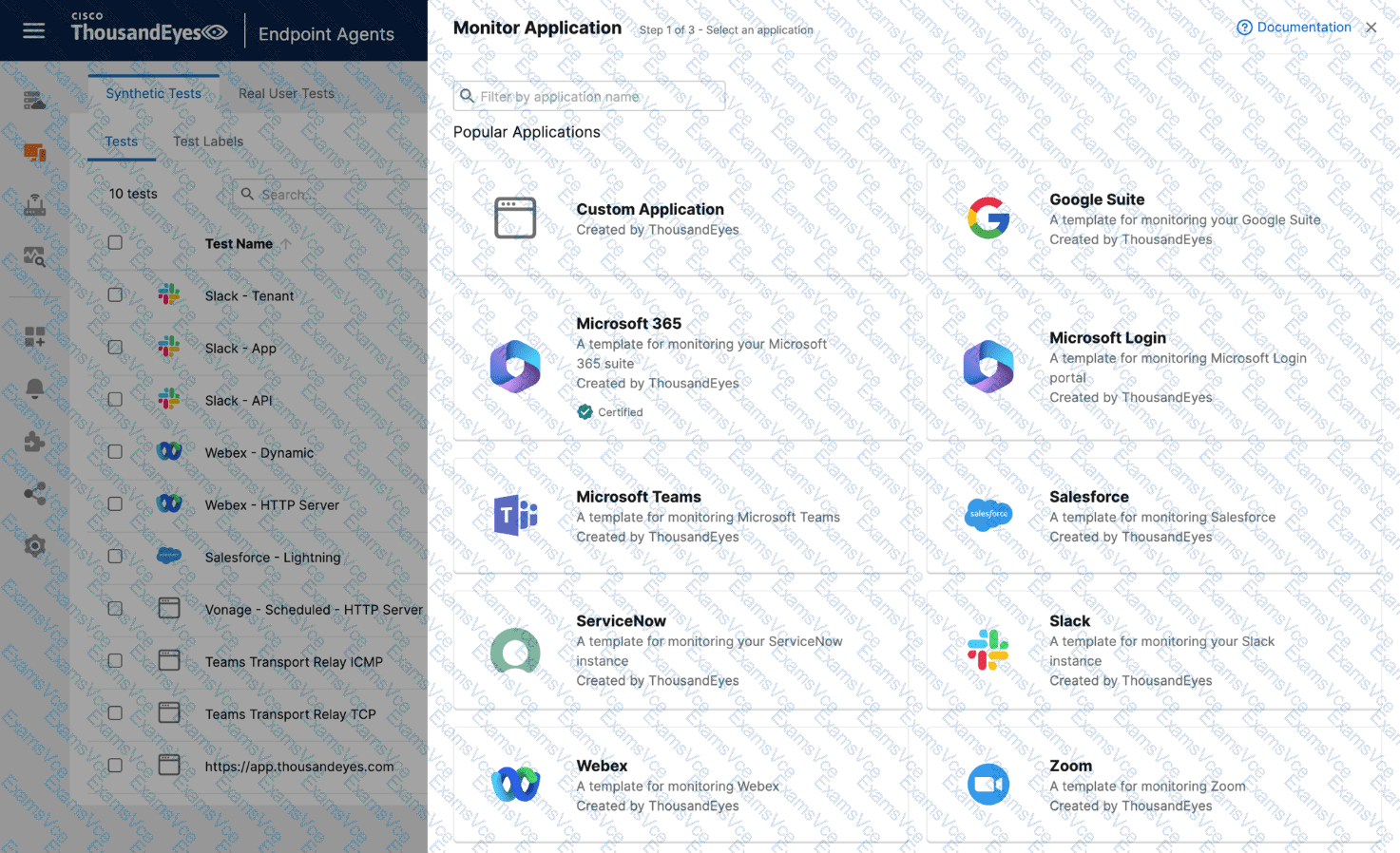
In the Designing and Implementing Enterprise Network Assurance (300-445 ENNA) curriculum, monitoring the digital experience of internal employees requires leveraging ThousandEyes Endpoint Agents to simulate or record traffic from the user ' s specific vantage point. When an engineer needs to monitor a specific, potentially internal or non-standard web application, they must utilize the Custom Application workflow within the Endpoint Experience settings.
According to the ENNA implementation standards, the first necessary action is to Create a new custom application monitor (Option A). In the ThousandEyes portal under Endpoint Experience > Test Settings > Synthetic Tests , the " Monitor Application " button provides access to pre-defined templates for popular services like Microsoft 365 or Webex. However, for a unique enterprise application, the engineer must select " Custom Application " to define the application ' s identity, including its name and the relevant domain or URL.
The second required action is to Add a new scheduled test to the monitor (Option C). Endpoint Agents perform Scheduled Tests at regular, predefined intervals—such as every 5 or 10 minutes—to proactively check the application ' s availability, response time, and network path health without requiring user interaction. By adding a scheduled HTTP Server or Network test to the custom monitor, the engineer ensures a consistent baseline of the application ' s performance as seen from the employee ' s machine.
Reviewing the incorrect options:
Google Suite monitor (Option B): This is a specific template for Google Workspace and is not suitable for a custom application.
Dynamic Tests (Option D): These are specifically designed for collaboration tools like Zoom or Microsoft Teams to capture ad-hoc sessions; they are generally not used for baselining a standard custom web application.
Test Template (Option E): While all monitors are based on templates, " adding a new template " is not a configuration action but rather a result of the monitoring setup.