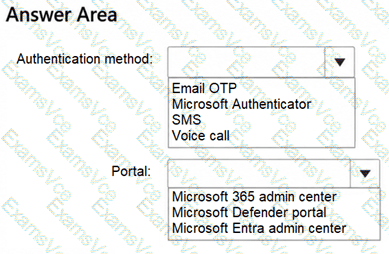
Microsoft Entra ID supports passwordless authentication through several technologies, including Microsoft Authenticator, Windows Hello for Business, and FIDO2 security keys.
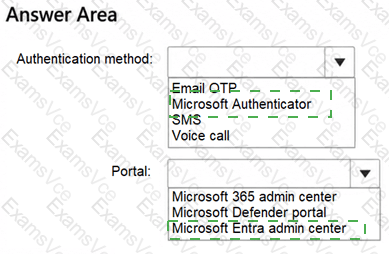
First selection: Microsoft Authenticator.
Microsoft Authenticator supports passwordless phone sign-in using device-based cryptographic authentication. Instead of entering a password, users approve authentication requests through the mobile application, complete number matching, and verify their identity using a device PIN or biometric authentication.
Email OTP, SMS, and voice calls do not provide the same Microsoft Entra passwordless phone sign-in capability.
Second selection: Microsoft Entra admin center.
The Microsoft Entra admin center provides centralized configuration of authentication methods through Entra ID → Authentication methods → Policies.
An administrator with at least the Authentication Policy Administrator role can select Microsoft Authenticator, enable it for all users, and configure the authentication mode to support passwordless sign-in.
The Microsoft 365 admin center primarily manages Microsoft 365 services, users, subscriptions, and licensing. The Microsoft Defender portal focuses on security monitoring and threat protection. Neither is the dedicated administrative interface for configuring Microsoft Entra authentication methods.
Implementation consideration: Enabling the authentication method does not automatically register every user. Users must register Microsoft Authenticator and activate passwordless phone sign-in before using it. Administrators can use Temporary Access Pass to support onboarding.
Therefore, Microsoft Authenticator and the Microsoft Entra admin center are the correct selections.