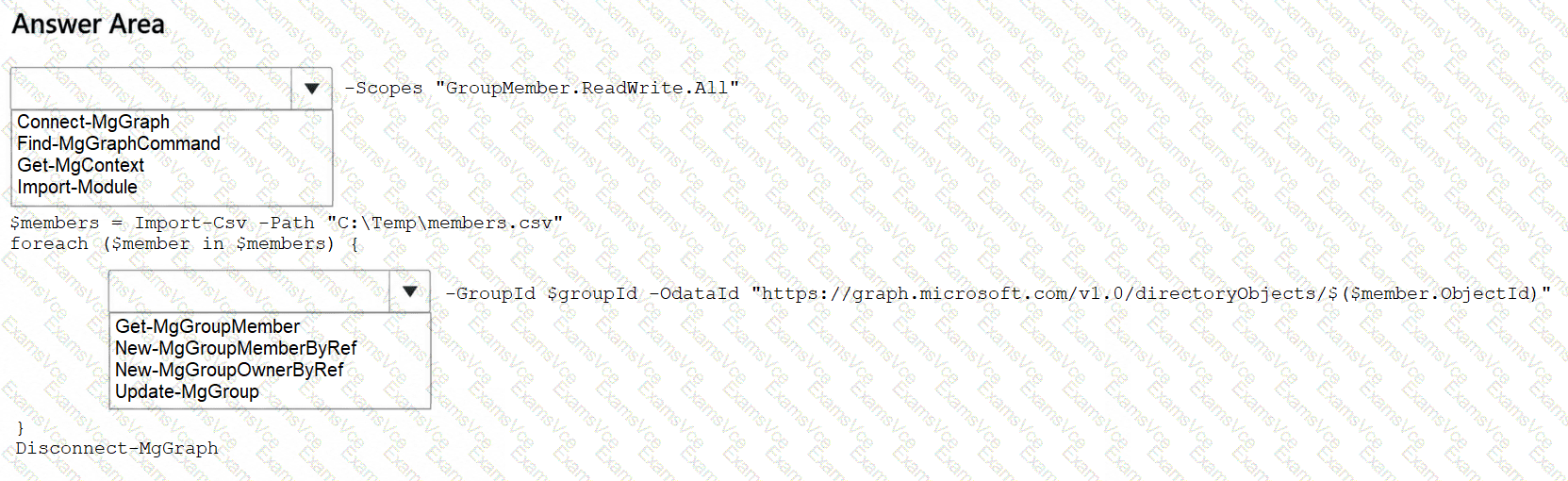
cCompleted PowerShell Script (Corrected for Execution):
Connect-MgGraph -Scopes " GroupMember.ReadWrite.All "
$members = Import-Csv -Path " C:\Temp\members.csv "
foreach ($member in $members) {
New-MgGroupMemberByRef -GroupId $groupId `
-OdataId " https://graph.microsoft.com/v1.0/directoryObjects/$($member.memberObjectId) "
}
Disconnect-MgGraph
Microsoft Graph PowerShell provides cmdlets for managing Microsoft Entra security group memberships, including bulk membership updates from CSV files.
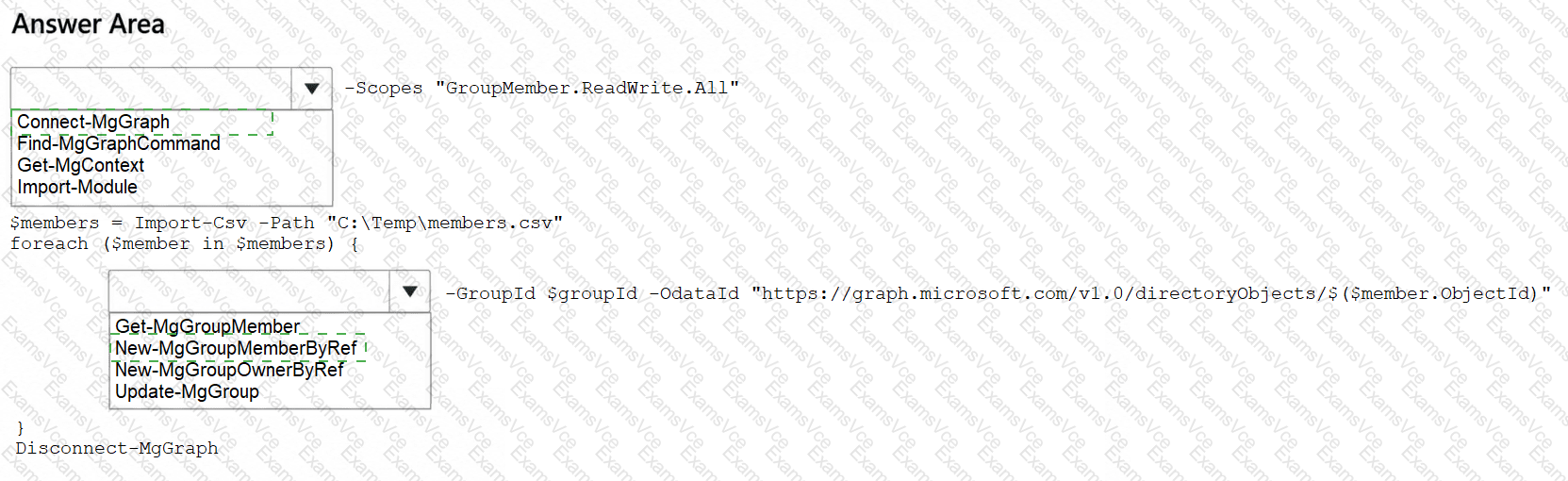
First selection: Connect-MgGraph. This command establishes an authenticated Microsoft Graph session. The GroupMember.ReadWrite.All delegated permission authorizes modification of supported group memberships, subject to the signed-in user ' s administrative privileges.
Second selection: New-MgGroupMemberByRef. This cmdlet adds an existing Microsoft Entra directory object to a security group by creating a membership reference.
The -GroupId parameter identifies Group1, while -OdataId supplies the Microsoft Graph URL of the user object being added.
Import-Csv reads the user identifiers from C:\Temp\members.csv. The foreach loop processes each CSV record and adds the corresponding user to Group1.
Get-MgGroupMember and Get-MgGroupMemberByRef retrieve existing memberships rather than creating them. Update-MgGroup modifies group properties but is not the appropriate membership-reference operation.
Important correction: The original exhibit uses $member.ObjectId, but the CSV column is named memberObjectId. The script must reference $member.memberObjectId; otherwise, the object identifier will not be retrieved correctly.
Therefore, the correct dropdown answers are Connect-MgGraph and New-MgGroupMemberByRef.
Microsoft References: