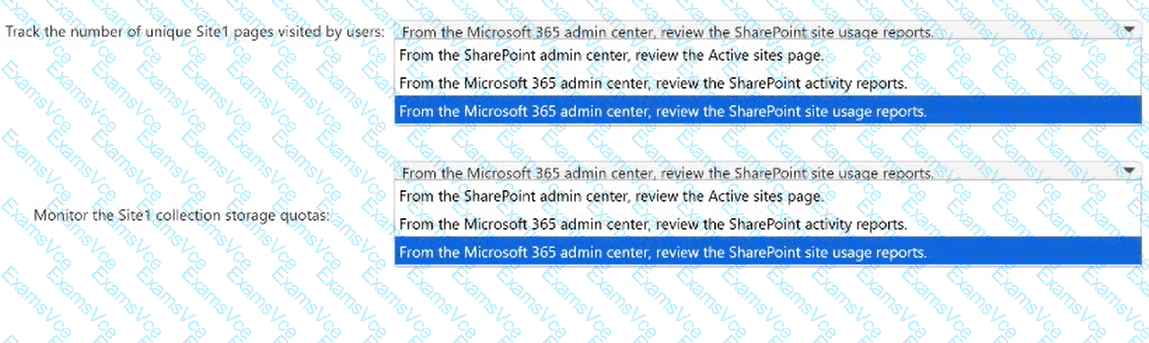
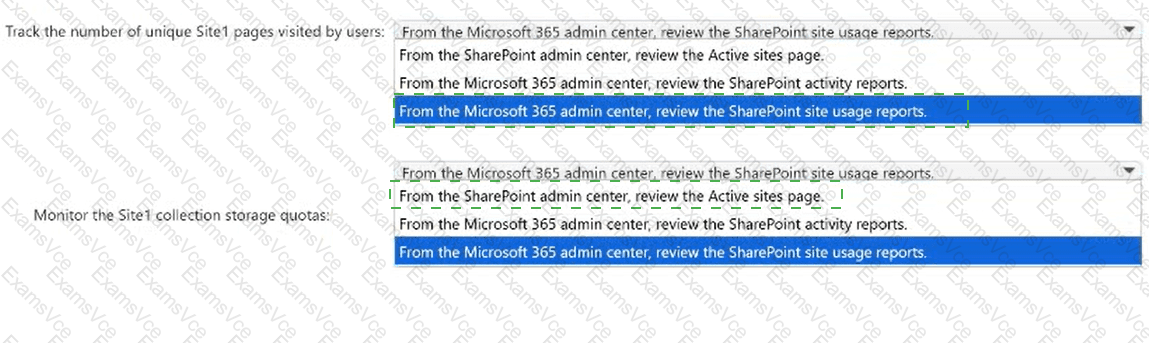
Track the number of unique Site1 pages visited by users: From the Microsoft 365 admin center, review the SharePoint site usage reports.; Monitor the Site1 collection storage quotas: From the SharePoint admin center, review the Active sites page.
Microsoft 365 provides both analytical usage reporting and administrative site-management capabilities for SharePoint Online. These functions serve different monitoring requirements.
First selection: SharePoint site usage reports.
The Microsoft 365 admin center includes SharePoint site usage reports that provide information about site activity, storage consumption, and user engagement.
The report contains a metric named Pages visited, representing the number of unique pages visited on a SharePoint site during the reporting period. This differs from Page views, which represents the total number of page views, including repeated visits.
Administrators can access this information through Reports, Usage, and SharePoint site usage.
Second selection: Active sites page.
The SharePoint admin center provides the Active sites page for managing and monitoring individual SharePoint sites.
Administrators can select Site1 and inspect information such as allocated storage, current storage consumption, and site details. When manual storage limits are configured, administrators can also review or change the site ' s storage allocation.
The Microsoft 365 usage report is designed primarily for analytical reporting, while the SharePoint Active sites page provides administrative oversight of site collections and their storage configurations.
Therefore, the two selected administrative locations satisfy the requirements.
Microsoft References:
https://learn.microsoft.com/en-us/microsoft-365/admin/activity-reports/sharepoint-site-usage-ww
https://learn.microsoft.com/en-us/sharepoint/manage-sites-in-new-admin-center