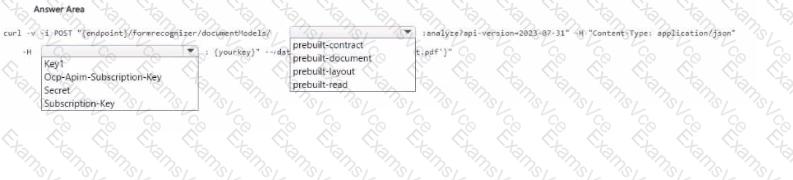
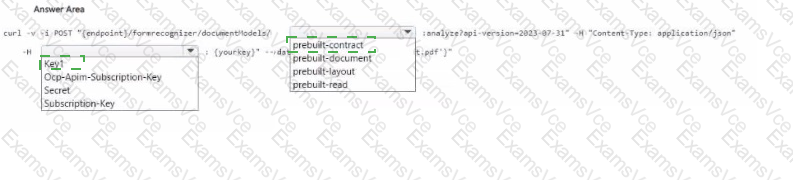
Step 1: The Authorization Header
When calling Azure AI Document Intelligence REST API, the correct header to authenticate is:
-H " Ocp-Apim-Subscription-Key: {yourKey} "
Key1 and Secret are not valid header names.
Subscription-Key is also not the standard header.
Correct choice: Ocp-Apim-Subscription-Key
Step 2: Selecting the Prebuilt Model
Since the file contains tabular data (tables, structured document), the right prebuilt model is:
prebuilt-document → extracts text, tables, structure, key-value pairs.
prebuilt-contract → specialized for contracts.
prebuilt-layout → extracts layout, lines, and words but not tables in structured form.
prebuilt-read → simple OCR only.
So the correct choice is: prebuilt-document
Final Completed Command
curl -i -X POST " {endpoint}/formrecognizer/documentModels/prebuilt-document:analyze?api-version=2023-07-31 " \
-H " Content-Type: application/json " \
-H " Ocp-Apim-Subscription-Key: {yourKey} " \
-d " { ' urlSource ' : ' https:// < your-storage > /test.pdf ' } "
Verified Answer:
Left box: Ocp-Apim-Subscription-Key
Right box: prebuilt-document
Microsoft References:
Azure AI Document Intelligence REST API
Prebuilt Document model