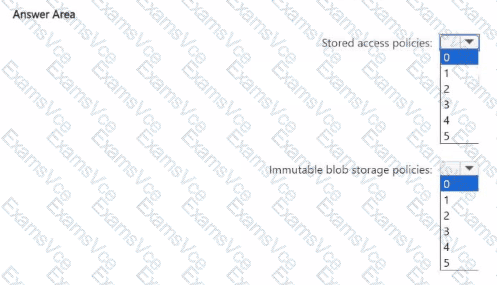
Stored access policies: ✅ 2
Immutable blob storage policies: ✅ 1
From the scenario in the earlier case study (A. Datum Corporation):
The planned change requires creating a new container named cont2 in storage1, with the following:
Three stored access policies (Stored1, Stored2, Stored3)
A legal hold for immutable blob storage
Also, recall from the table:
storage1 has Hierarchical namespace = Yes (Data Lake Storage Gen2 enabled).
storage2 has Hierarchical namespace = No.
The question asks: “What is the maximum number of additional access policies you can create for cont2?”
According to Microsoft Azure Storage documentation:
A blob container can have a maximum of five stored access policies.
These policies allow shared access signatures (SAS) to be managed centrally, letting you define start times, expiry times, and permissions at the container level.
Since three stored access policies (Stored1, Stored2, Stored3) already exist, the maximum additional policies that can still be created is:
→ 5 (maximum allowed) – 3 (already existing) = 2
For immutable blob storage policies:
A container can have one active immutability policy at a time.
This can be either a time-based retention policy or a legal hold policy.
Since cont2 already has a legal hold applied, no additional immutable policy can coexist with it, but it can have one defined policy type (the legal hold).
Therefore:
Stored access policies: 2 additional policies can still be created.
Immutable blob storage policies: 1 policy (the existing legal hold).
This aligns exactly with Microsoft Learn: Azure Storage Blob Service limits and immutable storage documentation:
“A container may have up to five stored access policies. Immutable storage supports either a time-based retention policy or legal hold policy per container.”
Final Verified Answer:
✅ Stored access policies: 2
✅ Immutable blob storage policies: 1