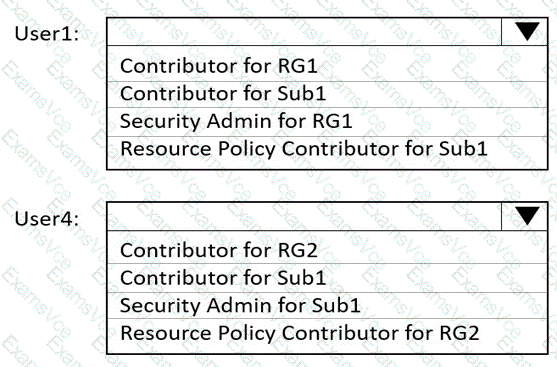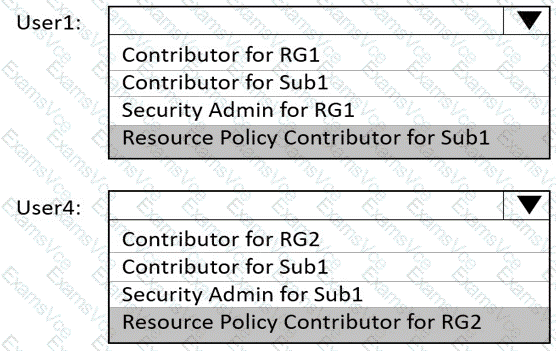
To meet the technical requirement that User1 can create initiative definitions and User4 can assign initiatives to RG2, we must understand how Azure Policy roles operate according to Microsoft Azure documentation and AZ-104 study guides.
Azure Policy uses role-based access control (RBAC) to determine who can create, manage, and assign policies or initiatives (policy sets). The key roles relevant to this task are:
Resource Policy Contributor – Allows users to create, edit, and delete policy definitions and initiative definitions, but does not allow assignment of policies or initiatives. This role is required for users who will design or build the policy logic (definitions).
Therefore, User1, who needs to create initiative definitions, must have the Resource Policy Contributor role.
Scope: Subscription (Sub1) – because initiatives are created at subscription or management group level.
Contributor – Provides full access to manage resources, except granting permissions. Contributors can assign existing policies or initiatives to resource groups or subscriptions if they have sufficient permissions.
Therefore, User4, who needs to assign initiatives to RG2, must be assigned the Contributor role at the RG2 scope.
Other roles:
Security Admin is related to Microsoft Defender for Cloud security settings, not policy creation.
Resource Policy Contributor for RG2 would not meet the requirement because creating definitions typically requires subscription-level access.
According to Microsoft Docs (“Azure built-in roles for Policy”):
“The Resource Policy Contributor role allows users to create, edit, and delete Azure policy and initiative definitions. To assign policies or initiatives, users need the Contributor or Owner role at the appropriate scope.”
Hence, the configuration should be:
User1: Resource Policy Contributor for Sub1
User4: Contributor for RG2