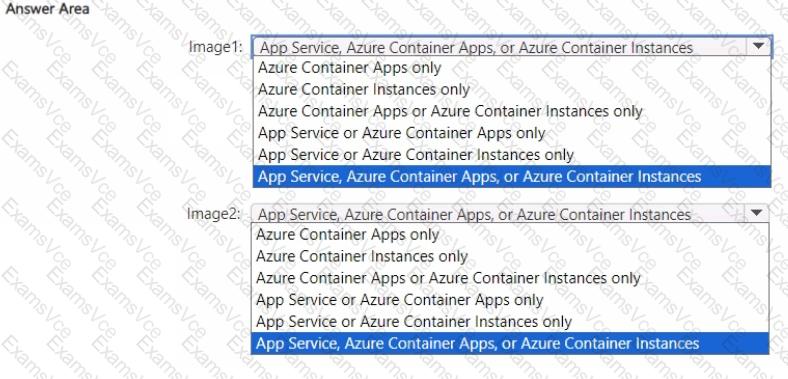
In Microsoft Azure, containerized application deployment can occur using multiple services, depending on the image type and operating system platform used. The question refers to two images — Image1 (Windows Server) and Image2 (Linux) — which are stored in an Azure Container Registry (ACR).
According to the Microsoft Azure Administrator Study Guide (AZ-104) and official Azure documentation, both Windows-based and Linux-based container images can be deployed using any of the following services, depending on the workload requirements:
Azure App Service (Web App for Containers) – supports both Windows and Linux containers for web applications. It allows developers to directly deploy containerized applications from Docker Hub, Azure Container Registry, or a private registry.
Azure Container Apps – serverless container hosting designed for microservices and event-driven architectures. It supports Linux and Windows containers, using Kubernetes behind the scenes, without requiring users to manage the cluster infrastructure.
Azure Container Instances (ACI) – provides lightweight, serverless containers for quick deployment and isolated workloads. It supports both Windows and Linux images and can pull directly from Azure Container Registry.
Therefore, since both Image1 (Windows Server) and Image2 (Linux) are valid container images supported by the same three Azure container services, the correct and verified solution is to select “App Service, Azure Container Apps, or Azure Container Instances” for both.
This matches Azure documentation under:
“Run containerized applications in Azure App Service”
“Deploy containers using Azure Container Instances”
“Build and deploy microservices using Azure Container Apps”
Each of these Azure services supports containerized deployments from ACR regardless of the underlying operating system image type.
Final Verified Answer:
✅ Image1: App Service, Azure Container Apps, or Azure Container Instances
✅ Image2: App Service, Azure Container Apps, or Azure Container Instances