Step 1: Reviewing the Vulnerability Remediation Timeframes
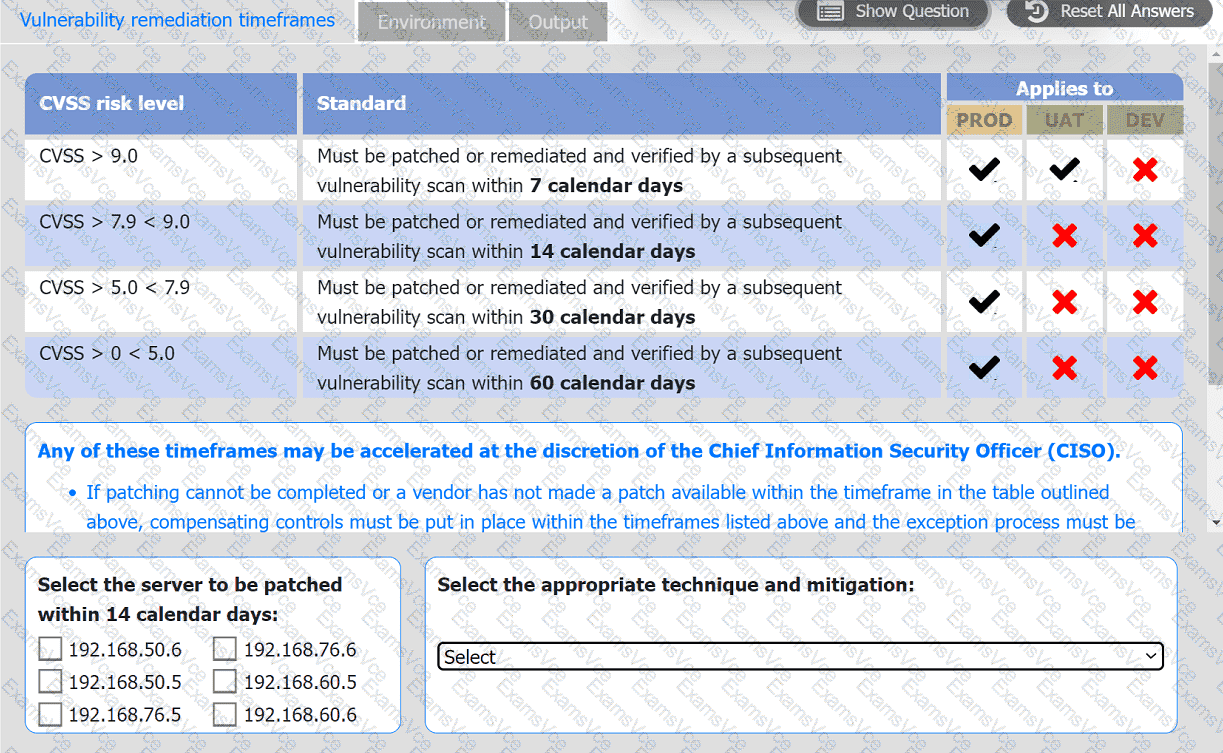
The remediation standards require servers to be patched based on their CVSS score:
CVSS 5.0 - 7.9: Patch within 30 days
CVSS 0 - 5.0: Patch within 60 days
Step 2: Analyzing the Output Tab
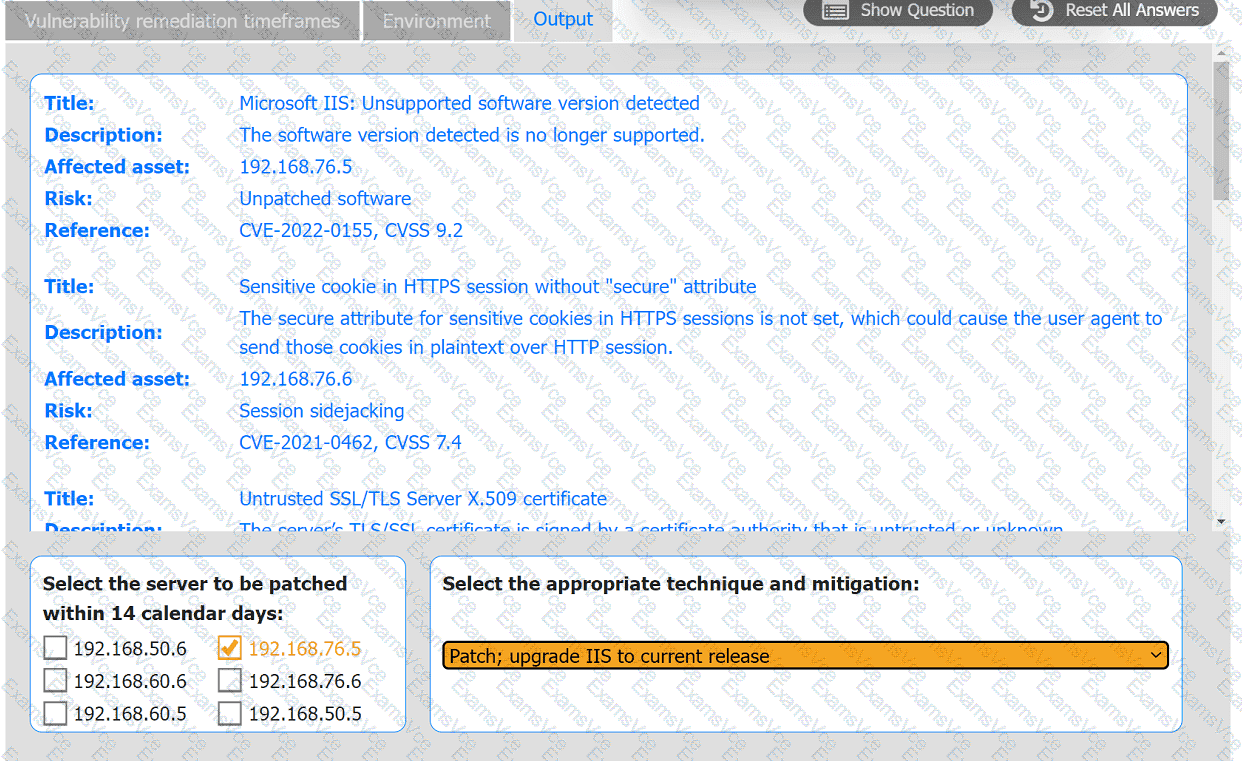
From the Output tab:
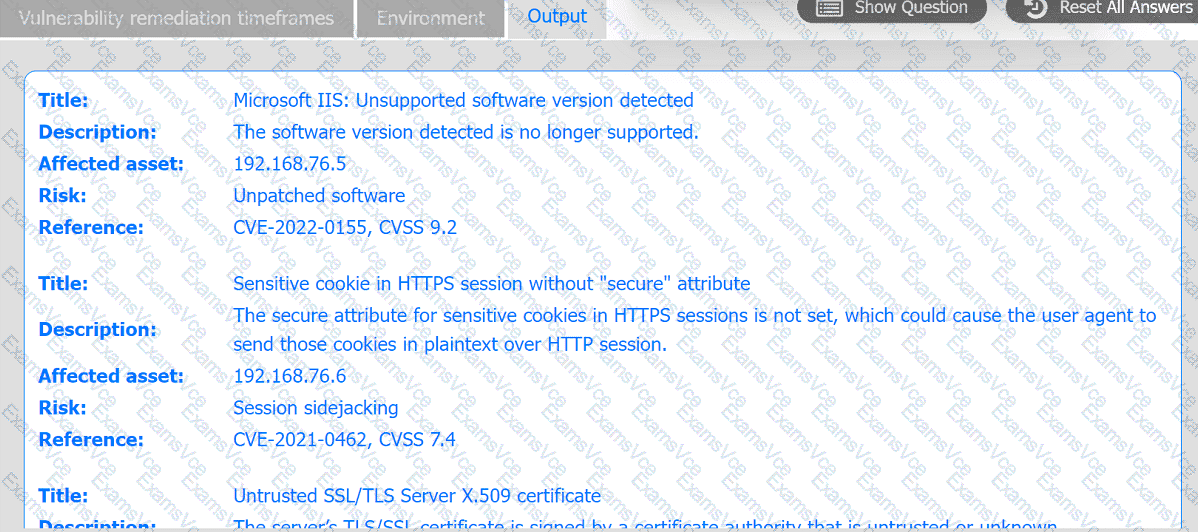
Server 192.168.76.5 has a CVSS score of 9.2 for an unsupported Microsoft IIS version, indicating a critical vulnerability requiring a patch within 7 days.
Server 192.168.76.6 has a CVSS score of 7.4 for a missing secure attribute on HTTPS cookies, which falls in the 5.0 - 7.9 range, requiring a patch within 30 days.
Since the question asks for the server to be patched within 14 days, we need to focus on servers with CVSS 7.9 - 9.0:
However, 192.168.76.5, with a CVSS score of 9.2, has a vulnerability that necessitates a quick response and fits as it must be patched within the shortest timeframe (7 days, which includes 14 days).
The server that fits within a 14-day urgency, based on standard practices, would be 192.168.76.5.
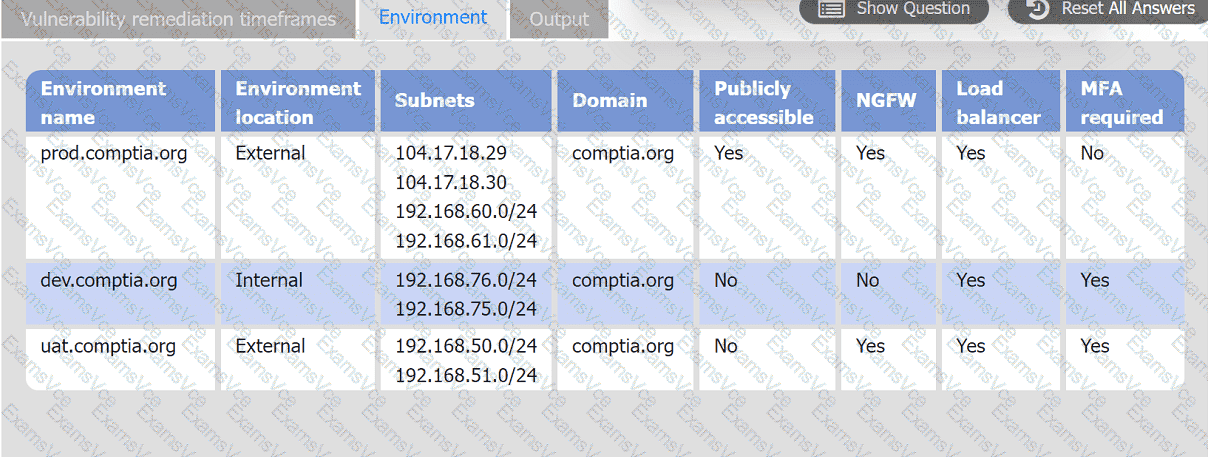
Step 3: Reviewing the Environment Tab
The Environment Tab provides additional context for 192.168.76.5:
It’s in the dev environment, which is internal and not publicly accessible.
MFA is required, indicating security measures are already present.
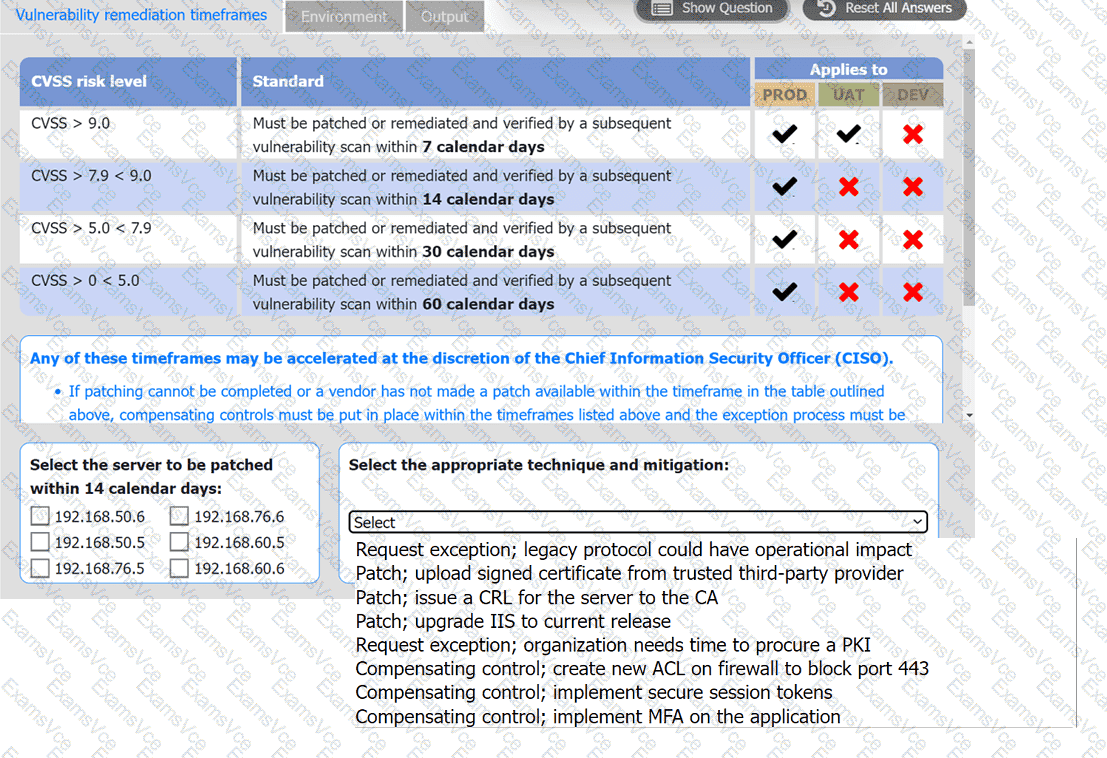
Step 4: Selecting the Appropriate Technique and Mitigation
For 192.168.76.5, with the Microsoft IIS unsupported version:
Patch; upgrade IIS to the current release is the most suitable option, as upgrading IIS will resolve the unsupported software vulnerability by bringing it up-to-date with supported versions.
This technique addresses the root cause, which is the unpatched, outdated software.
Summary
This approach ensures that the most critical vulnerabilities are addressed promptly, maintaining security compliance.