We are analyzing the JSON for definition.pbir in a Power BI Project:
{
"version": "1.0",
"datasetReference": {
"byPath": {
"path": "../Sales.Dataset"
},
"byConnection": null
}
}
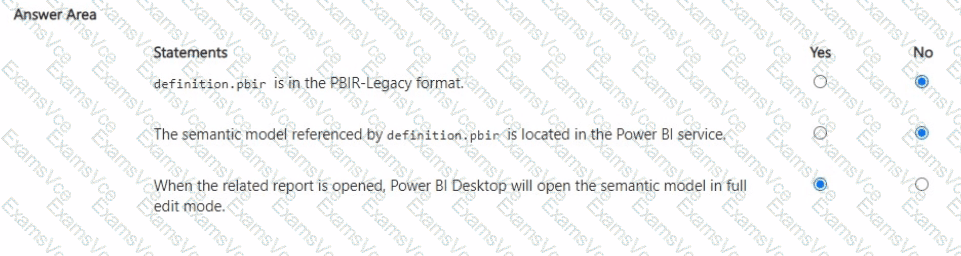
Statement 1:
"definition.pbir is in the PBIR-Legacy format."
No → The legacy PBIR format references datasets by byConnection (pointing to the Power BI service).
Here, it uses byPath, which is the new project format, not legacy.
Statement 2:
"The semantic model referenced by definition.pbir is located in the Power BI service."
No → The JSON shows byPath: "../Sales.Dataset", meaning the semantic model is referenced locally within the project folder (Sales.Dataset), not in the Power BI service.
Statement 3:
"When the related report is opened, Power BI Desktop will open the semantic model in full edit mode."
Yes → Since the semantic model is referenced by path (local PBIP project files), Power BI Desktop will open the model in full edit mode. If it had been byConnection, it would open in live connect mode to the service instead.
Final Answer:
PBIR-Legacy format → No
Semantic model in Power BI service → No
Opens in full edit mode → Yes
[References:, Power BI Project (PBIP) structure, PBIR formats: byPath vs byConnection, ]