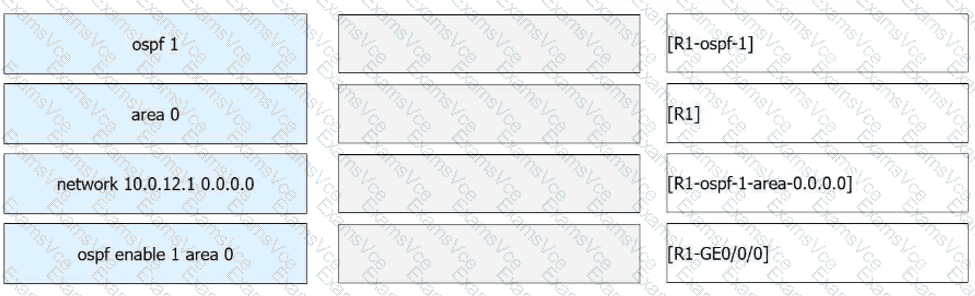
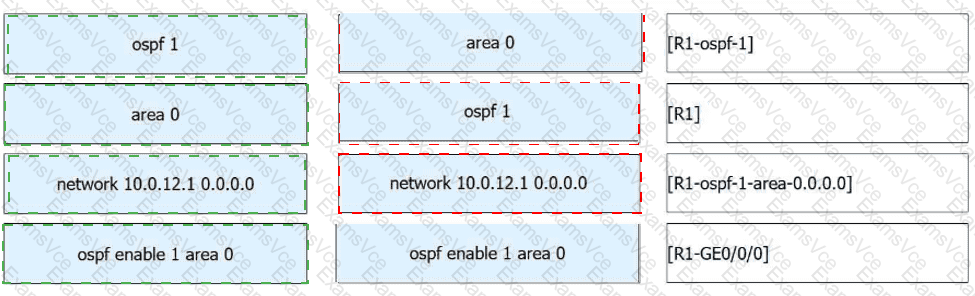
ospf 1 → [R1]
area 0 → [R1-ospf-1]
network 10.0.12.1 0.0.0.0 → [R1-ospf-1-area-0.0.0.0]
ospf enable 1 area 0 → [R1-GE0/0/0]
Huawei devices support two common ways to enable OSPF on an interface.
The first method is the process-based method. In this method, you first enter system view, then enter the OSPF process view using ospf 1, so this command belongs to [R1]. After that, you enter the area view using area 0, so this command belongs to [R1-ospf-1] . Inside the area view, the command network 10.0.12.1 0.0.0.0 is used to match the interface with IP address 10.0.12.1, so it belongs to [R1-ospf-1-area-0.0.0.0].
The second method is the interface-based method. In this method, OSPF is enabled directly under the interface using ospf enable 1 area 0, so this command belongs to [R1-GE0/0/0].
This question tests the difference between global OSPF process configuration and direct interface OSPF enabling, both of which are standard Huawei OSPF configuration methods.