Comprehensive and Detailed Explanation
HPE Press guide context | PDF page 1070 | HPE Press, Aruba Certified Associate – Campus Access Official Certification Study Guide
Technical Deep Dive — Original Chat Wording
The History tab in HPE Aruba Networking Central's troubleshooting environment provides access to previously performed diagnostic operations.
When an administrator runs a supported troubleshooting test, the session information is saved for later inspection.
This enables technicians to review test results without immediately repeating the same operation.
For example, an engineer might run ping and traceroute tests while investigating intermittent connectivity between an access switch and a gateway.
Later, the engineer can inspect the corresponding session records and compare the results with new measurements.
This can help determine whether connectivity improved after a configuration change or infrastructure repair.
The History view includes details associated with troubleshooting sessions, such as execution information and test results.
Individual session IDs can be opened to inspect further details.
Supported versions also allow administrators to export or email troubleshooting-session information.
This supports incident documentation, technical handovers, and escalation to other support teams.
The History tab is not primarily a scheduling interface.
It also does not automatically generate every network alert or perform corrective configuration changes.
Its main purpose is preserving evidence of completed diagnostic activities.
Therefore, Option B (This delivers a record of previously executed tests and actions for review) is correct.
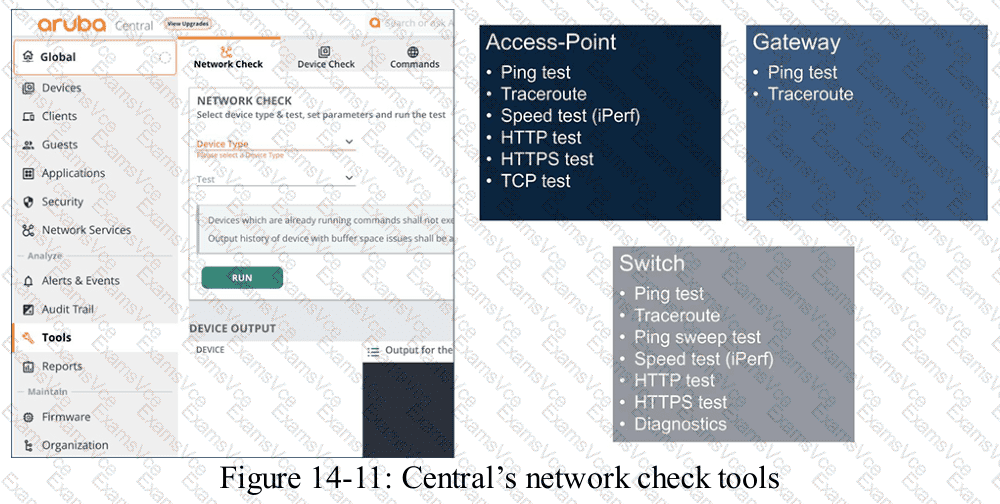
HPE Press study-guide figure / related learning illustration · Q189 Fig 14-11 tools