Comprehensive and Detailed Explanation
HPE Press guide context | PDF page 575 | HPE Press, Aruba Certified Associate – Campus Access Official Certification Study Guide
Technical Deep Dive — Original Chat Wording
The Inventory and Subscriptions card provides a consolidated overview of device registration and management-subscription usage.
It helps administrators understand the distribution of network infrastructure across the managed environment.
One of its functions is displaying the total number of registered devices organized by device type.
For example, a campus network may contain access points, switches, and gateways.
The card summarizes these categories so administrators can quickly assess the composition of their managed infrastructure.
Selecting a device-type count can open the Device Inventory with the corresponding filter applied.
The card also presents subscription-related information, including available subscriptions, devices without subscriptions, and subscriptions approaching expiration.
This helps organizations identify outstanding onboarding tasks and potential licensing issues.
The card does not primarily provide client throughput measurements or wireless connection-quality statistics.
Those measurements belong to client monitoring and performance-analysis functions.
Similarly, infrastructure health is presented through the Device Health card.
Detailed firmware-version information is normally available through device-specific inventory or firmware-management views.
The Inventory and Subscriptions card therefore focuses on infrastructure registration, device classification, and management entitlements.
Therefore, Option C (The types of devices in the inventory) is correct.
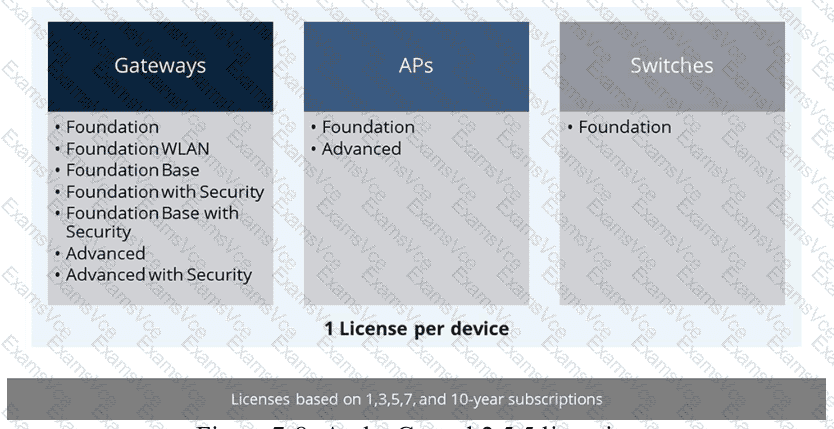
HPE Press study-guide figure / related learning illustration · Q163 Fig 7-8 Subscriptions