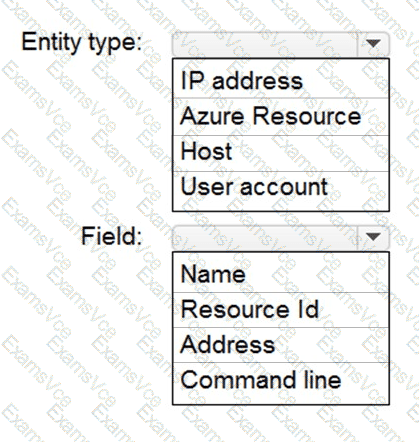
When configuring suppression rules in Microsoft Defender for Cloud (previously Azure Security Center), you define the specific entity type and field values to suppress recurring or expected alerts. In this scenario, you want to hide Azure Defender alerts for a specific Azure Storage account that is being accessed during application development.
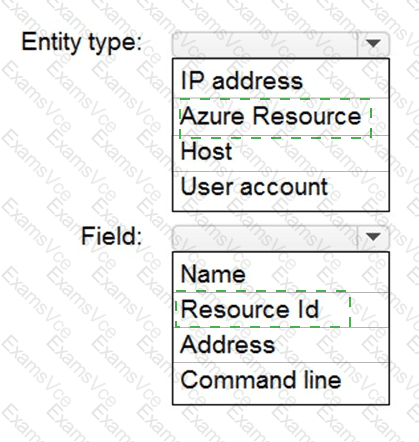
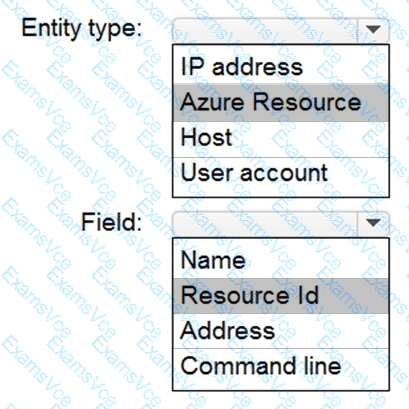
In Defender for Cloud, each protected asset (such as a virtual machine, SQL database, or storage account) is represented as an Azure Resource. Therefore, to suppress alerts for that storage account, you must target the Azure Resource entity type.
The unique identifier used to target an exact Azure resource in suppression conditions is its Resource Id, which follows the format:
/subscriptions/{subscriptionId}/resourceGroups/{resourceGroupName}/providers/{resourceProvider}/{resourceName}
By specifying Entity type = Azure Resource and Field = Resource Id, the suppression rule ensures that only alerts generated from that specific storage account are hidden.
Other entity types such as IP address, Host, or User account do not apply to Azure Storage alerts. Likewise, fields like Address, Command line, or Name are not used for resource-based suppression.
✅ Final Answer: