In Microsoft Sentinel (now part of Microsoft Defender XDR), Kusto Query Language (KQL) is used to create queries for workbooks, analytics rules, and hunting queries. The SecurityIncident table contains all incidents created in Sentinel, including their timestamps, severities, and metadata.
To meet the requirements:
“Only include the most recent log for each incident” → means you must return only the latest record for each incident.
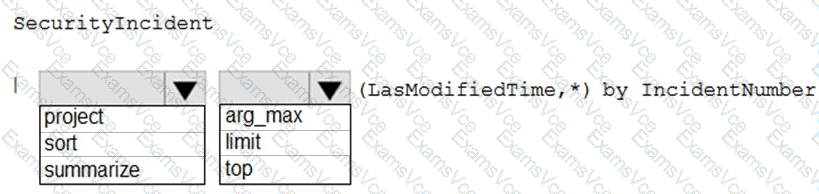
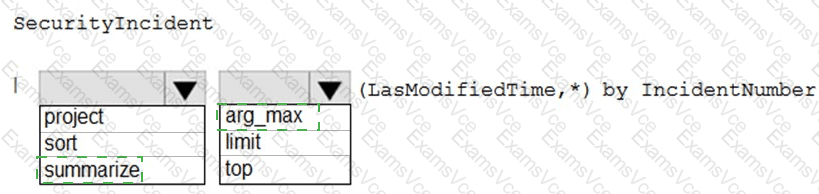
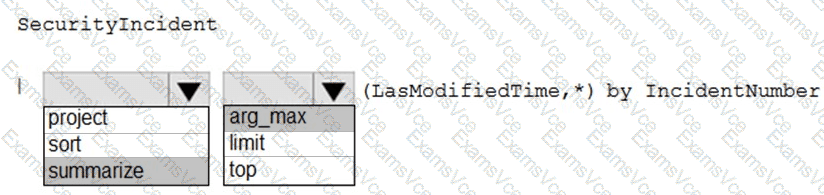
In KQL, the correct operator for this purpose is summarize arg_max(). The function arg_max(LastModifiedTime, *) returns the row (record) that has the maximum LastModifiedTime for each group—in this case, each unique IncidentNumber—along with all its other columns (indicated by *).
Therefore, the complete and correct query is:
SecurityIncident
| summarize arg_max(LastModifiedTime, *) by IncidentNumber
This query will return exactly one record per IncidentNumber, corresponding to the most recently modified incident entry—perfectly fulfilling the requirement of showing the latest incident state for each case in a Sentinel workbook.
✅ Correct selections: