Requirement
Setting
Assign Role1 to User1
Users and groups
Enable User2 to request access to App1
Self-service
Comprehensive and Detailed 150 to 250 words of Explanation From [Cloud and AI Security Engineer/Course Guide/topics]:
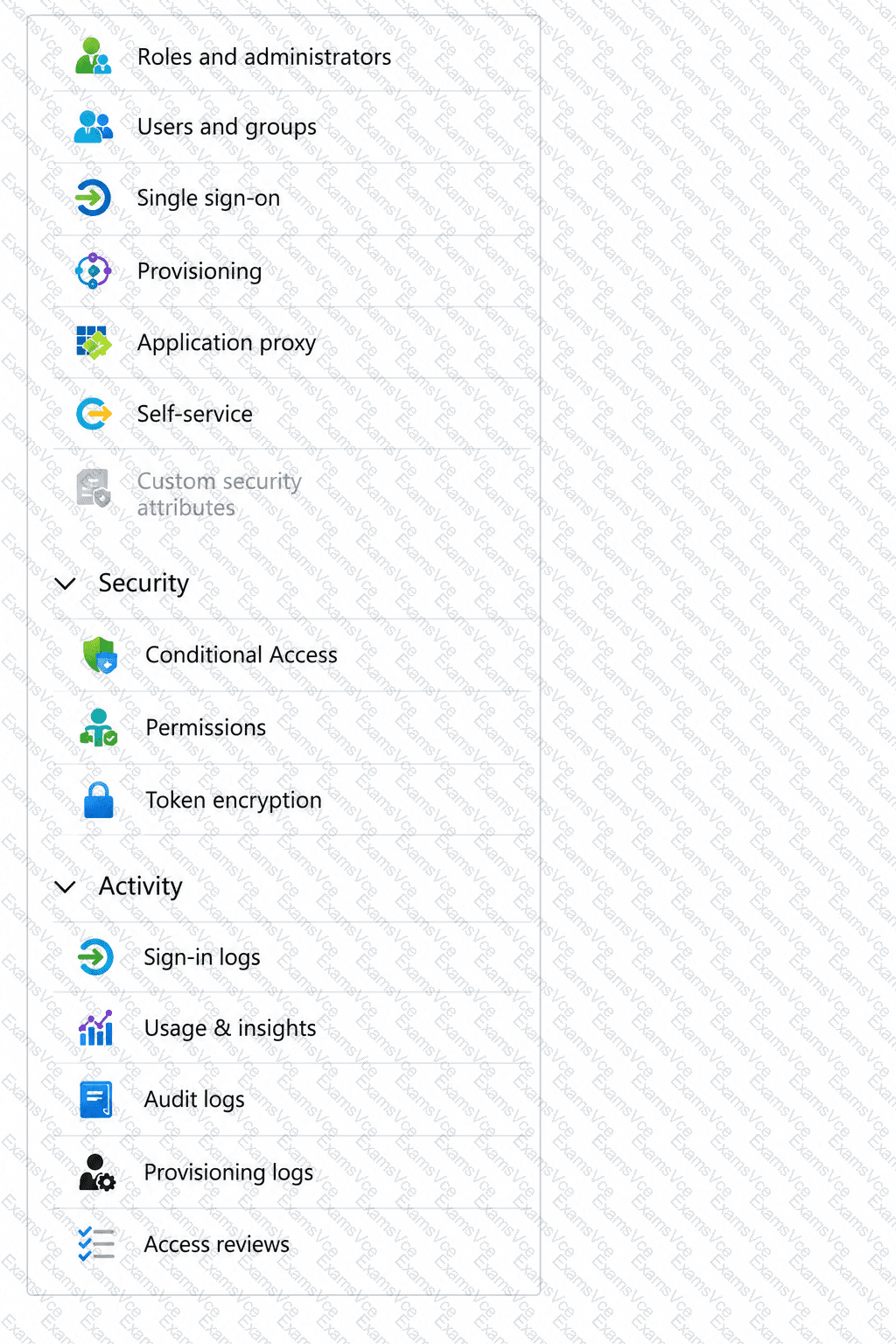
To assign the application-specific Role1 to User1, use Users and groups in the enterprise application. Microsoft documents that app-role assignments are made from Enterprise applications → App1 → Users and groups → Add user/group, where you select the user and then choose the specific application role to assign.
To allow User2 to request access to App1, configure Self-service. Microsoft Entra self-service application access allows users to discover an application in My Apps and submit an access request. On the Self-service page, you can enable Allow users to request access to this application, optionally require approval, specify approvers, and define the application role assigned after approval.
Other settings shown in the exhibit do not satisfy these requirements. Roles and administrators controls administrative roles over the enterprise application itself, not assignment of an app-specific role to an end user. Single sign-on, Provisioning, Conditional Access, and Permissions serve different authentication, lifecycle, access-control, or consent purposes.
Final selections:
Users and groups
Self-service